Terraform
2 min read
What is Terraform?
Terraform is an open-source infrastructure as code (IaC) tool created by HashiCorp. It allows you to define and provision infrastructure using a declarative configuration language.
Key Features
- Infrastructure as Code: Define your infrastructure using human-readable configuration files that can be versioned and shared.
- Multi-Cloud Support: Works with multiple cloud providers including AWS, Azure, Google Cloud, and many others.
- Declarative Syntax: Describe what you want your infrastructure to look like, and Terraform figures out how to create it.
- State Management: Tracks the current state of your infrastructure to manage changes effectively.
- Execution Plans: Shows you what changes will be made before actually applying them.
How Terraform Works
- Write: Define resources in configuration files using HashiCorp Configuration Language (HCL).
- Plan: Preview the changes Terraform will make to your infrastructure.
- Apply: Execute the planned changes to provision or modify infrastructure.
Common Use Cases
- Provisioning cloud infrastructure (servers, networks, storage)
- Managing Kubernetes clusters
- Orchestrating multi-tier applications
- Setting up development, staging, and production environments
- Managing DNS records and CDN configurations
Example Configuration
hclresource "aws_instance" "example" { ami = "ami-0c55b159cbfafe1f0" instance_type = "t2.micro" tags = { Name = "ExampleInstance" } }
This simple example shows how to define an AWS EC2 instance using Terraform's declarative syntax.
Here are the important Terraform commands and their descriptions:
- terraform init: Initializes a Terraform working directory by downloading provider plugins and setting up the backend.
- terraform plan: Creates an execution plan showing what changes Terraform will make to your infrastructure without actually applying them.
- terraform apply: Executes the actions proposed in the Terraform plan to create, update, or delete infrastructure resources.
- terraform destroy: Destroys all resources managed by the current Terraform configuration.
- terraform validate: Checks whether the configuration files are syntactically valid and internally consistent.
- terraform fmt: Formats Terraform configuration files to a canonical format and style.
- terraform show: Displays the current state or a saved plan in a human-readable format.
- terraform state: Advanced state management command for viewing and manipulating the Terraform state file.
- terraform output: Displays the output values from your Terraform state.
- terraform import: Imports existing infrastructure into Terraform state so it can be managed by Terraform.
- terraform workspace: Manages multiple workspaces for organizing infrastructure into separate state files.
- terraform refresh: Updates the state file to match the real-world infrastructure.
Main mantra for terraform syntax
<arguments>
}
- terraform apply -var “instance_name = YetAnotherName”
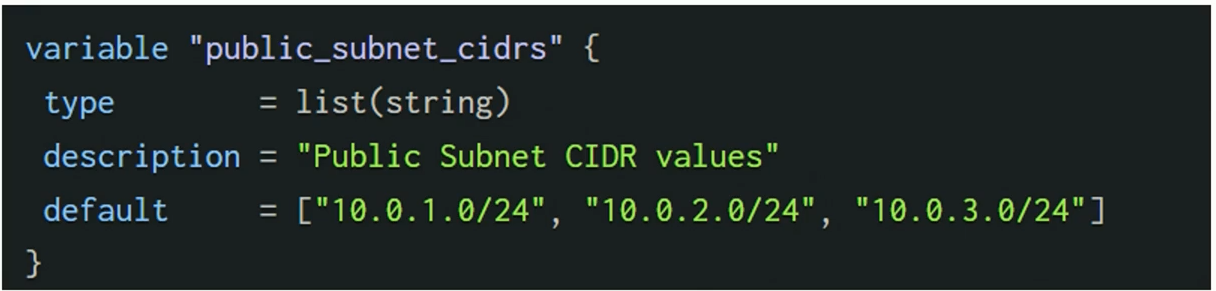
Variable types -
List, Map, Set
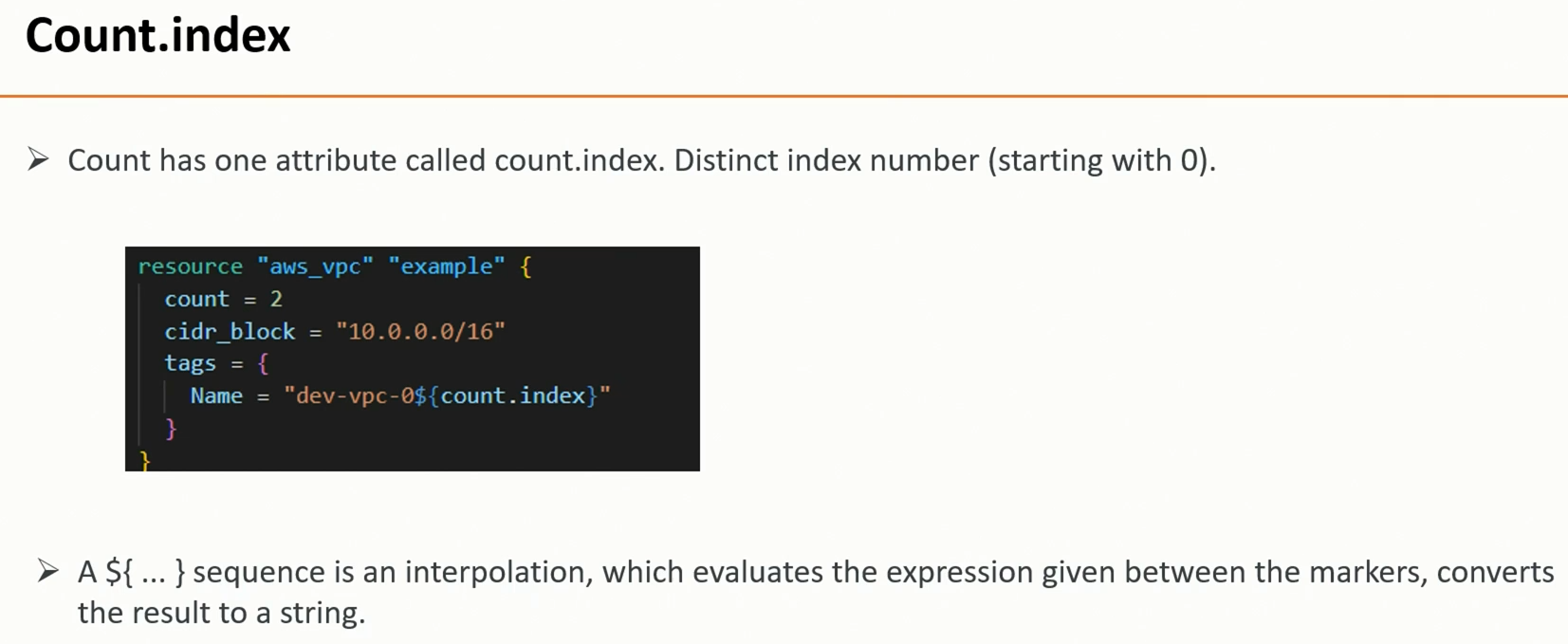
example-
Zebra@2025Secure!